

FAQ
Yes — no registration is required. The regular (printed text) mode is free and has no daily cap. AI mode runs on our own GPU, so outside the regions where ad revenue covers the GPU costs it is limited to 5 pages per day per visitor. Requests are rate limited per IP to keep the queue fair.
Upload the photo or screenshot and press Recognize: the service extracts the text and shows it in the editor, where you can copy it or download it as TXT, Word, ODF or PDF. A straight, well-lit shot works best; for handwriting, tables or formulas turn on AI mode.
Images: JPG, JPEG and PNG (up to 16 MB). Documents: PDF (up to 32 MB and 400 pages). If a PDF already contains a text layer, the service takes that text instead of re-recognizing the pages. You can also paste an image from the clipboard with Ctrl+V. Recognition supports 122 languages, and you can select several of them for one file.
16 MB for an image and 32 MB for a PDF (up to 400 pages). Larger files are rejected by the upload form before any processing starts.
One file per request. A PDF is processed page by page (up to 400 pages), and every page gets its own text block in the result. To recognize several images, upload them one after another — the results are collected on the "My requests" page.
A single image in regular mode usually takes a few seconds; a long PDF takes longer, page by page. AI mode is slower because it runs on our own GPU and waits for a free slot in the queue — allow up to a couple of minutes. You can close the page: the result is stored and available later.
Word (.docx), TXT, ODF and PDF, plus the original file you uploaded. The text is also shown in the editor, where you can fix it before downloading. Recognized PDF pages can be exported separately.
The service recognizes text, it does not translate it. Extract the text from the photo first (regular mode is enough for printed text), then paste it into any translator. The interface language and the recognition language are independent settings — you can recognize Russian text with the interface in English.
122 languages, including Deutsch, English, Español, Français, Italiano, Polski, Português, Русский, Українська, 日本語, 简体中文. For a mixed page you can select several languages for one file.
AI mode is a vision model on our own GPU: it reads handwriting, tables, formulas and mixed layouts, and it is on by default in the upload form. For clean printed text the regular mode is faster. AI mode is geo-restricted to 41 countries; outside them it stays available through the handwriting page with a daily cap.
Yes, in AI mode: it reads cursive, mixed pages, tables and formulas. Poor lighting, glare and out-of-focus photos still reduce accuracy, so photograph the page straight on. See the handwriting to text page for examples and details.
A scan or a straight, well-lit photo of the document, with the text placed horizontally — see the example below. Remove everything that is not text, if you can.
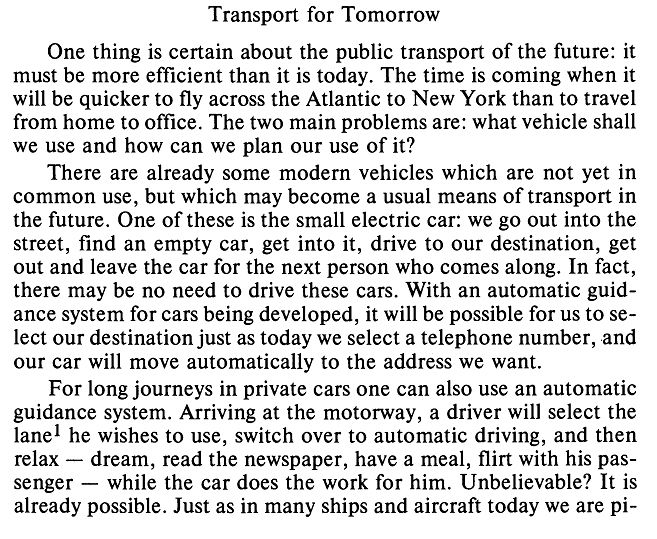
Accuracy depends on the source quality, not on the service: straight text, even lighting, a scanner instead of a phone photo and no unnecessary graphics give the best result. AI mode handles handwriting and mixed layouts better; regular mode is more reliable on clean printed text.
The service does not identify you by IP: the anonymous history is tied to a Google Analytics cookie and to an identifier in your browser's local storage. An ad blocker or the browser's "do not track" mode can hide the cookie, and private browsing or cleared site data erases the local identifier — in that case open "My requests" from the same browser you uploaded from.
Yes, if it was uploaded recently: the original is available on the "My requests" page. Original files are physically deleted after 14 days.
Open "My requests" and delete the requests you no longer need: the record, its text and the original file are removed at once. Otherwise the original file is deleted automatically after 14 days and the recognition result after 1 year. Details are in the privacy policy.
- Your file is physically stored for up to 14 days and then deleted automatically. The recognition result is stored for up to 1 year, and you can delete any request from "My requests" earlier. Each request has its own link: only someone who has the link can open it — you can share it, but treat it as a secret. Result pages are closed to search engines; only the AdSense robot may view them.
- Your privacy is important to us, and the privacy policy describes the full data flow.
No, pages with results are not allowed to be indexed in the robots.txt file. Only the Mediapartners-Google ad robot can see the information. The privacy policy describes what is stored and for how long.
No, this is prohibited. The result of captcha recognition will be blocked.
We do not offer a public API: registration is closed and the interface is the only supported way to use the service. An internal API exists for our own processing farms and is not documented for third parties.
We do not have such applications at the moment: the service works in a mobile browser, and no installation is required.